Local backup for Mac. No cloud required.
Scheduled, compressed, and encrypted backups for developers who keep code off the cloud. Native macOS app. No subscriptions. No upload limits.
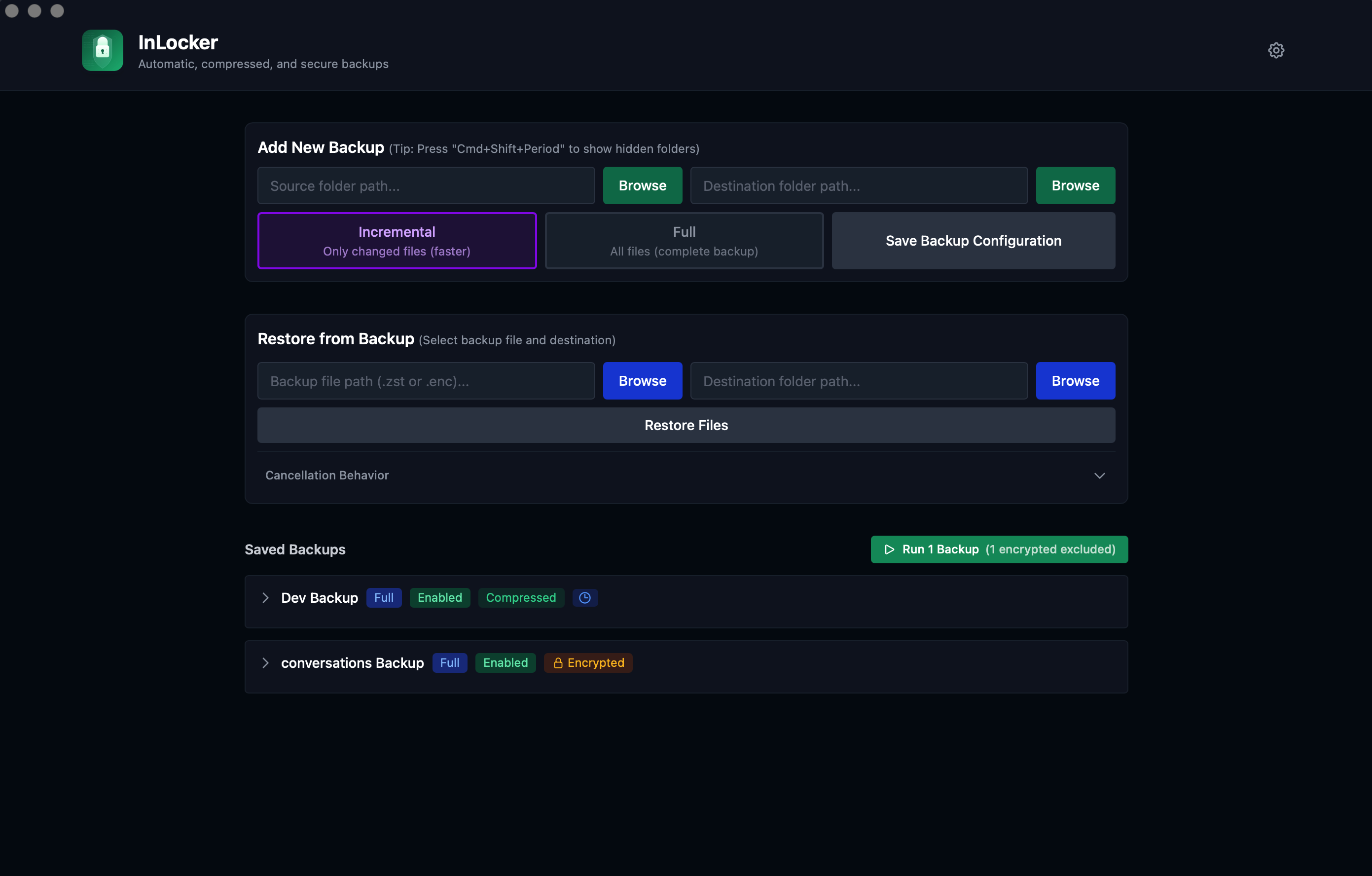
What it does
Choose one of three backup modes for each backup.
Copy
Direct folder copy. Access files without extraction.
Compressed
TAR + zstd. Reduces storage 40-70%.
Encrypted
AES-256-GCM + Argon2. Password never stored.
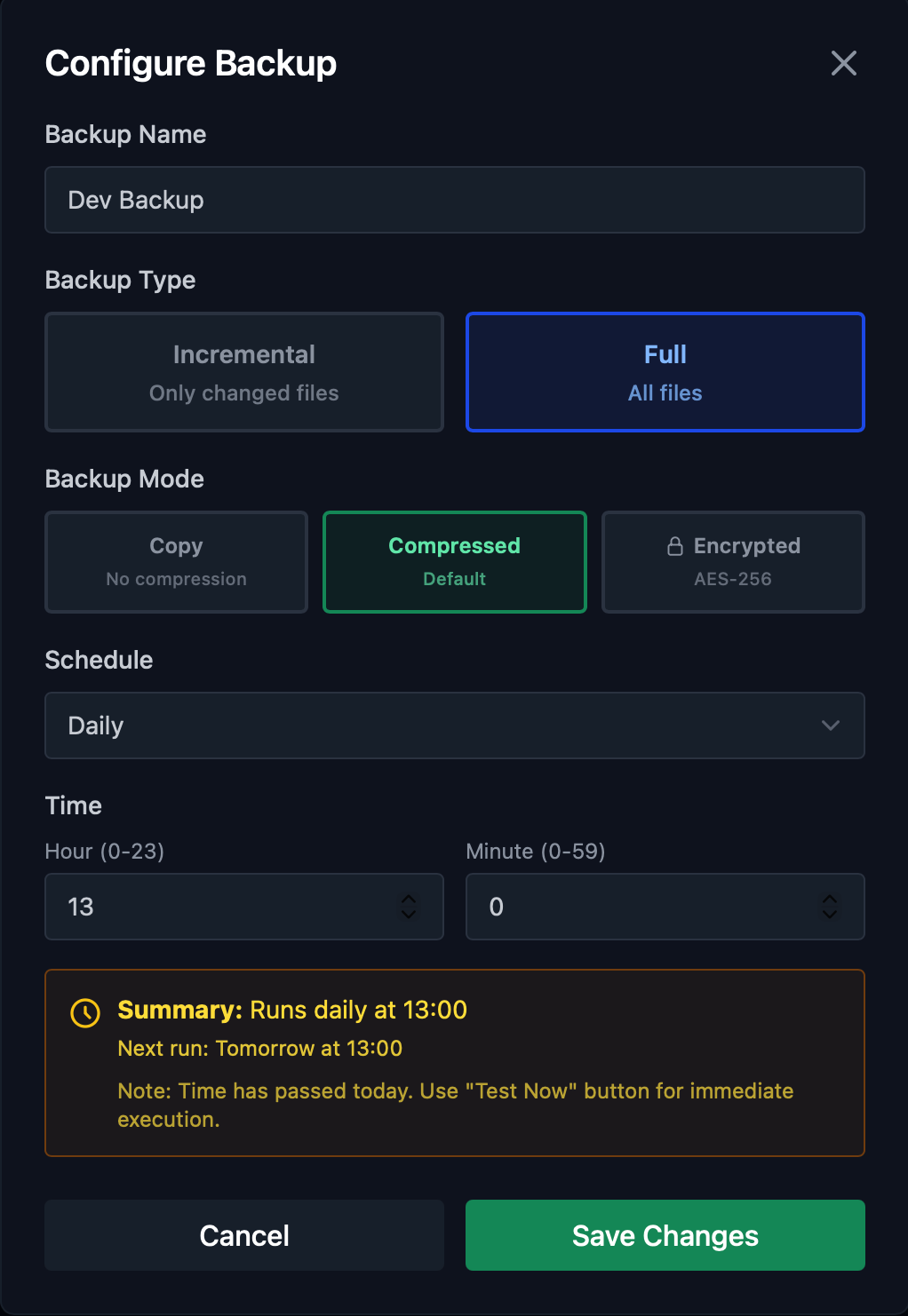
Configure once, forget forever
Set backup name, type, mode, and schedule in one place. Choose between incremental or full backups, pick your compression level, and set the exact time to run.
- Incremental: only changed files (52x faster)
- Full: complete backup every time
- Smart summary shows next run time
Scheduled backups via launchd
Backups run on schedule even when the app is closed. Uses macOS native launchd daemon. Hourly, daily, weekly, or custom cron expressions.
- Incremental or full backup modes
- Native macOS notifications on completion
- Multiple backup configurations
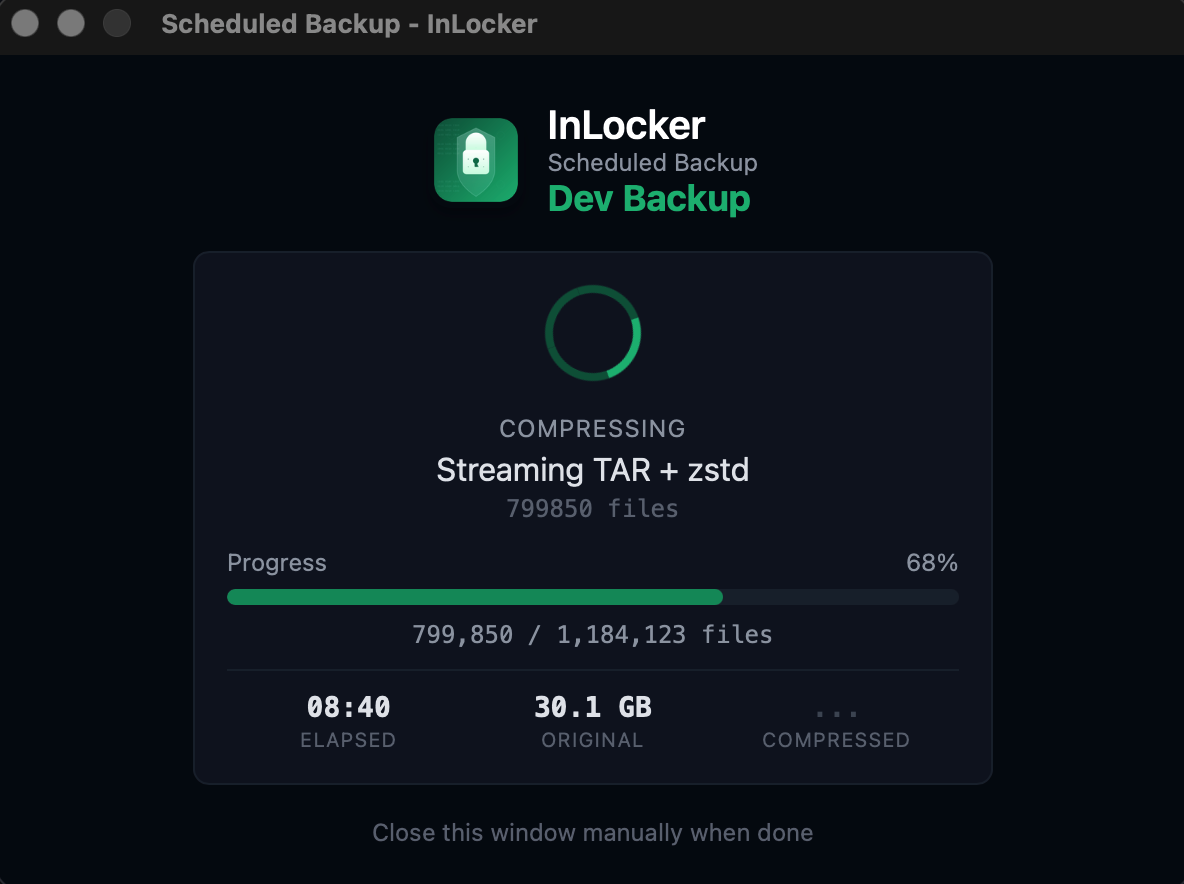
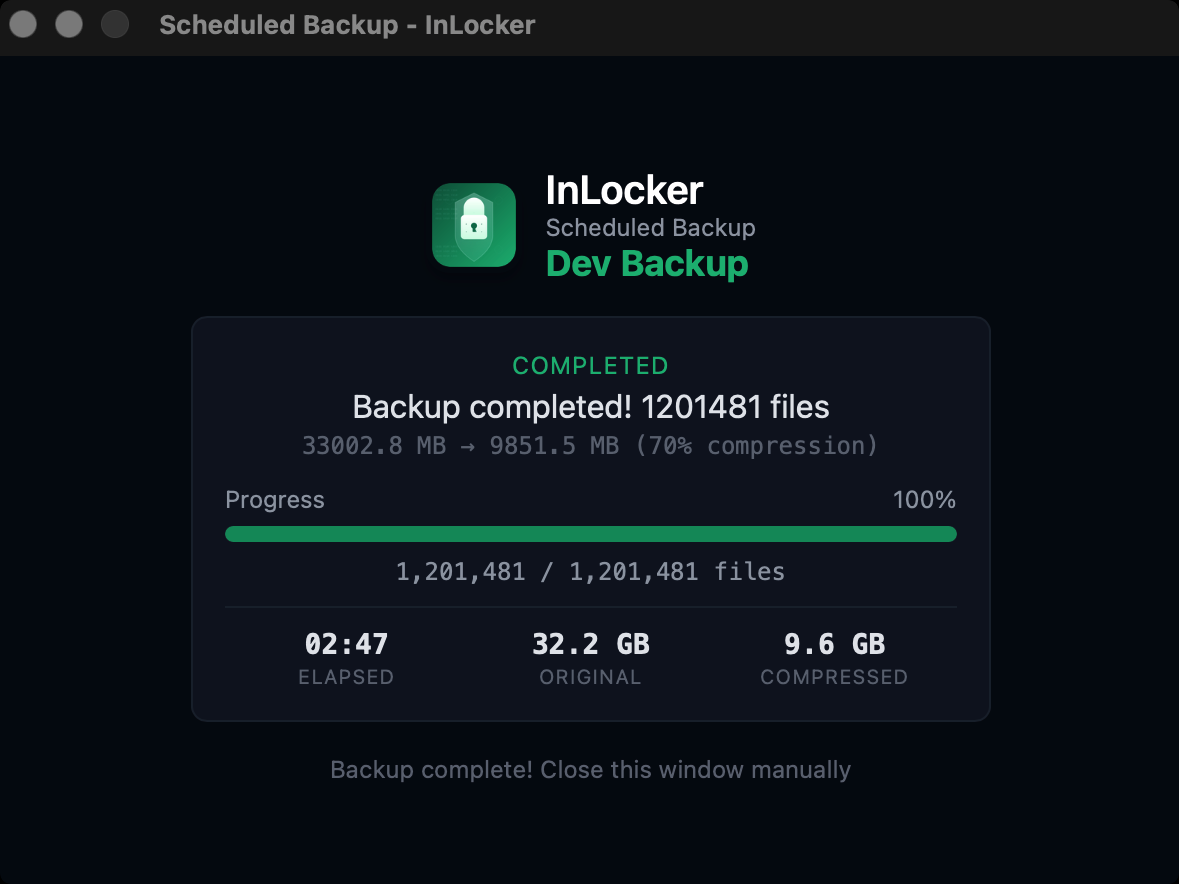
Real results, real compression
See exactly what happened after each backup. File count, original size, compressed size, and time elapsed.
- 32 GB reduced to 9.6 GB (70% savings)
- 1.2 million files in under 3 minutes
- Clear summary with all metrics
Tested
78 automated tests covering cryptography, security, and edge cases. 3 critical bugs caught and fixed before release.
How it compares
Free local backup options for macOS
| Feature | InLocker | Time Machine | Duplicati | FreeFileSync |
|---|---|---|---|---|
| Native macOS app | Yes | Yes | Web UI | No |
| Compression | zstd | No | Zip/7z | No |
| Encryption | AES-256-GCM | AES-XTS | AES-256 | No |
| Multiple destinations | Yes | Yes | Yes | Yes |
| Incremental backup | Yes | Yes | Yes | Sync only |
| Cost | Free | Free | Free | Free |
Questions
What is zstd compression?
Zstandard (zstd) is a compression algorithm developed by Facebook. It compresses files faster than gzip while achieving better compression ratios. Used by Linux kernel, Android, and many databases.
What is AES-256 encryption?
AES-256 is a symmetric encryption standard approved by the U.S. government for classified information. The "256" refers to the key size in bits. InLocker uses AES-256-GCM, which adds authentication to detect tampering.
Where does InLocker store backups?
Wherever you choose. External drives, NAS, or any mounted volume. Nothing is uploaded to external servers.
How does the encryption work?
AES-256-GCM with Argon2 key derivation (RFC 9106). The password is never stored. You enter it when running encrypted backups.
What is incremental backup?
Only files changed since the last backup are included. Faster and uses less storage than full backups.
Does it run when the app is closed?
Yes. Scheduled backups use macOS launchd and run independently of the app.
Is the source code available?
Yes. MIT license. github.com/beloureiro/inlocker
Get InLocker
macOS 12.0 (Monterey) or later. Apple Silicon and Intel.